It never touches the game
No injecting, no reading memory, no changed files. It is a separate window, and everything it shows comes from our own server.

isle lair companion · free for windows
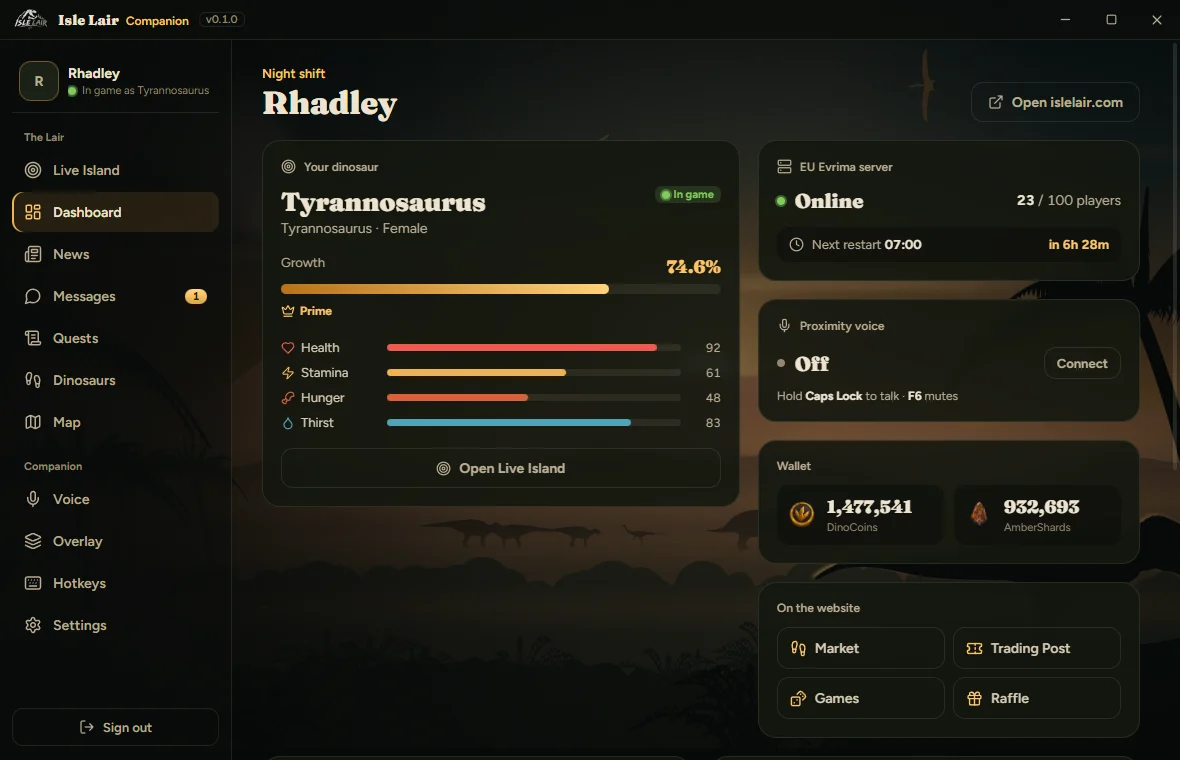
Proximity voice, a live minimap and your dinosaur, drawn over The Isle while you play. The Lair panel opens with one key. The game is never touched.
three steps
a quick look
Four small widgets in the corners of The Isle: server, minimap, voice and vitals. Drag and size each one with Insert.
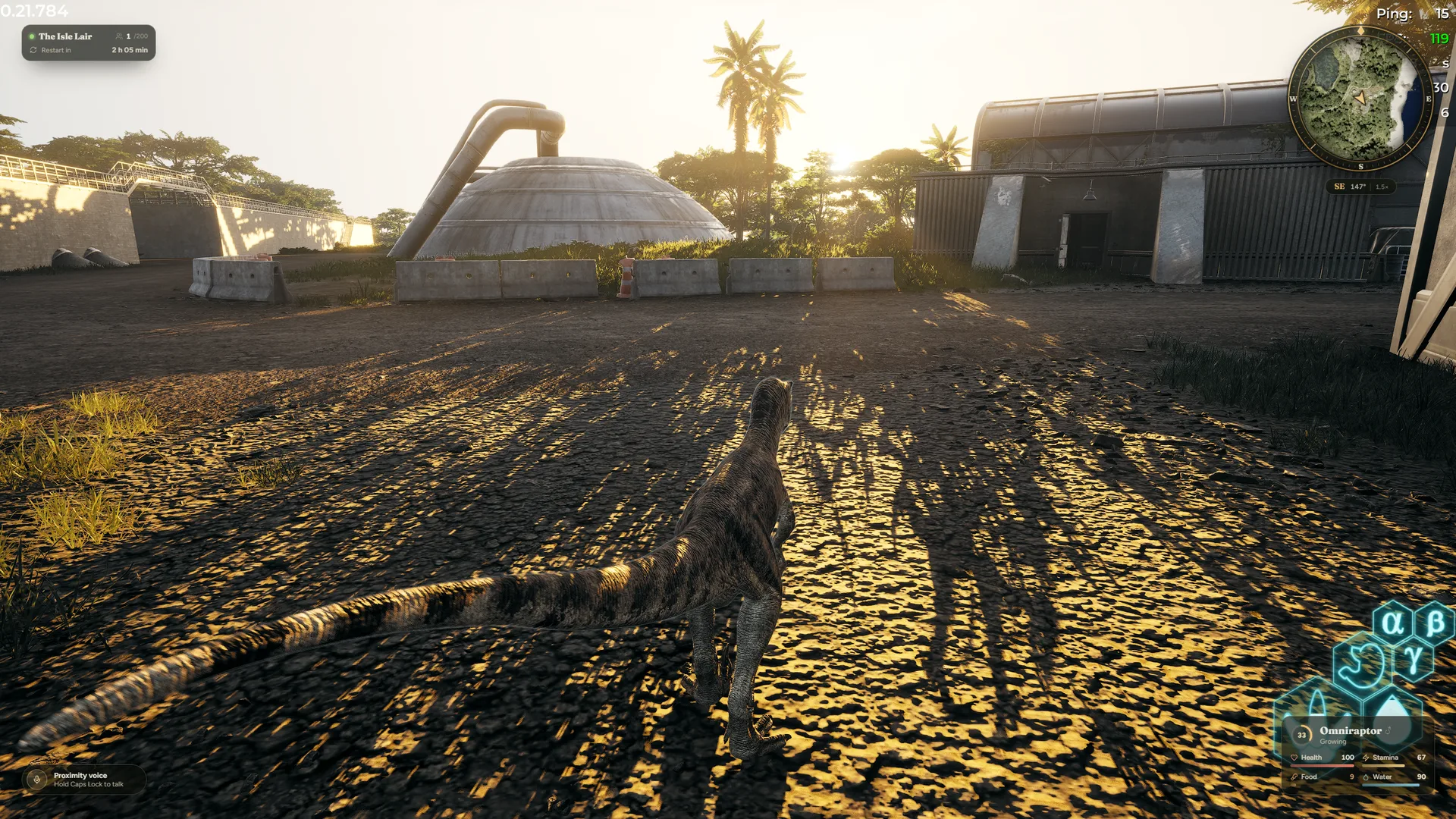 Server Whether the server is up and the next restart, with a warning 10, 5 and 1 minute before it.Minimap North up, your arrow turns where you walk. Updates about once a second.Voice Muted, ready, or talking with a level meter. Never who is listening.Vitals Growth, health, stamina, food and water. Low values pulse.
proximity voice
Proximity voice lives in the Companion now. It keeps working while The Isle is in front, and it never blocks a key in game.
No injecting, no reading memory, no changed files. It is a separate window, and everything it shows comes from our own server.
Your own position only, on the minimap and the full map. No names, no species, nothing to hunt with.
You approve the sign-in on islelair.com. Sign the app out any time in Account Hub → Security.
keep these handy
Every key can be changed in the app. Overlay keys only react while The Isle is in front, and letter keys wait while you type in the game chat.
Change any of them in the app. Overlay keys only react while The Isle is in front.
before you ask
Yes. Isle Lair Companion does not inject anything into The Isle, does not read its memory and does not change its files. It is a separate Windows app, as separate from the game as your browser is.
Nothing. It is free for every player on The Isle Lair. Things that cost DinoCoins on the website, like Pause Growth, cost the same here.
Windows 10 or 11, 64-bit, and The Isle set to Windowed Fullscreen (borderless). Windows does not let any app draw over exclusive fullscreen.
No. The minimap and the full map show your own position only, to you only. Nobody else is ever drawn, and nobody can see yours.
Only while The Isle is in front and your dinosaur is alive on The Isle Lair. In the menu you see a small "Lair overlay ready" tag, nothing more. Alt-tab and it is gone.
The app is new, so Windows does not know it yet. Choose "More info", then "Run anyway". If Smart App Control is turned on, Windows blocks unknown apps completely; we are working on a signed version for that.
By themselves. The app checks when it starts and every six hours, downloads the update quietly and installs it on the next start. You never download it again.
No. Isle Lair Companion is the new name of the Lair App. Install it once from this page; your keys, overlay layout and sign-in come over on their own. Then remove the old Lair App in Windows Settings → Apps.
Free for every Isle Lair player. Install once, it keeps itself up to date.
Download for Windows